How SMBs in North Dakota, South Dakota, and Minnesota Can Avoid Unexpected Technology Expenses
Written by Kelsey Beauchamp, CEO of Information Management Systems (IMS)
You carefully plan your business budget. You know what you expect to spend on payroll, operations, equipment, and other expenses. But what about your technology?
For many small and medium-sized businesses (SMBs) in North Dakota, South Dakota, and Minnesota, technology expenses have a way of showing up when they’re least expected.
A computer suddenly stops working. Your Microsoft 365 subscription costs increase. An outdated server needs replacing. Or your growing team requires new laptops, software licenses, and additional cybersecurity protection.
Before you know it, your carefully planned IT budget is no longer realistic.
The frustrating part? Many of these expenses could have been anticipated.
At Information Management Systems (IMS), we’ve spent more than 30 years helping businesses throughout the Fargo-Moorhead region and surrounding communities manage their technology more effectively.
One thing we’ve learned is that a successful IT budget isn’t necessarily about spending less. It’s about knowing where your money is going, planning for what’s ahead, and making sure technology supports your business instead of becoming an unexpected financial burden.
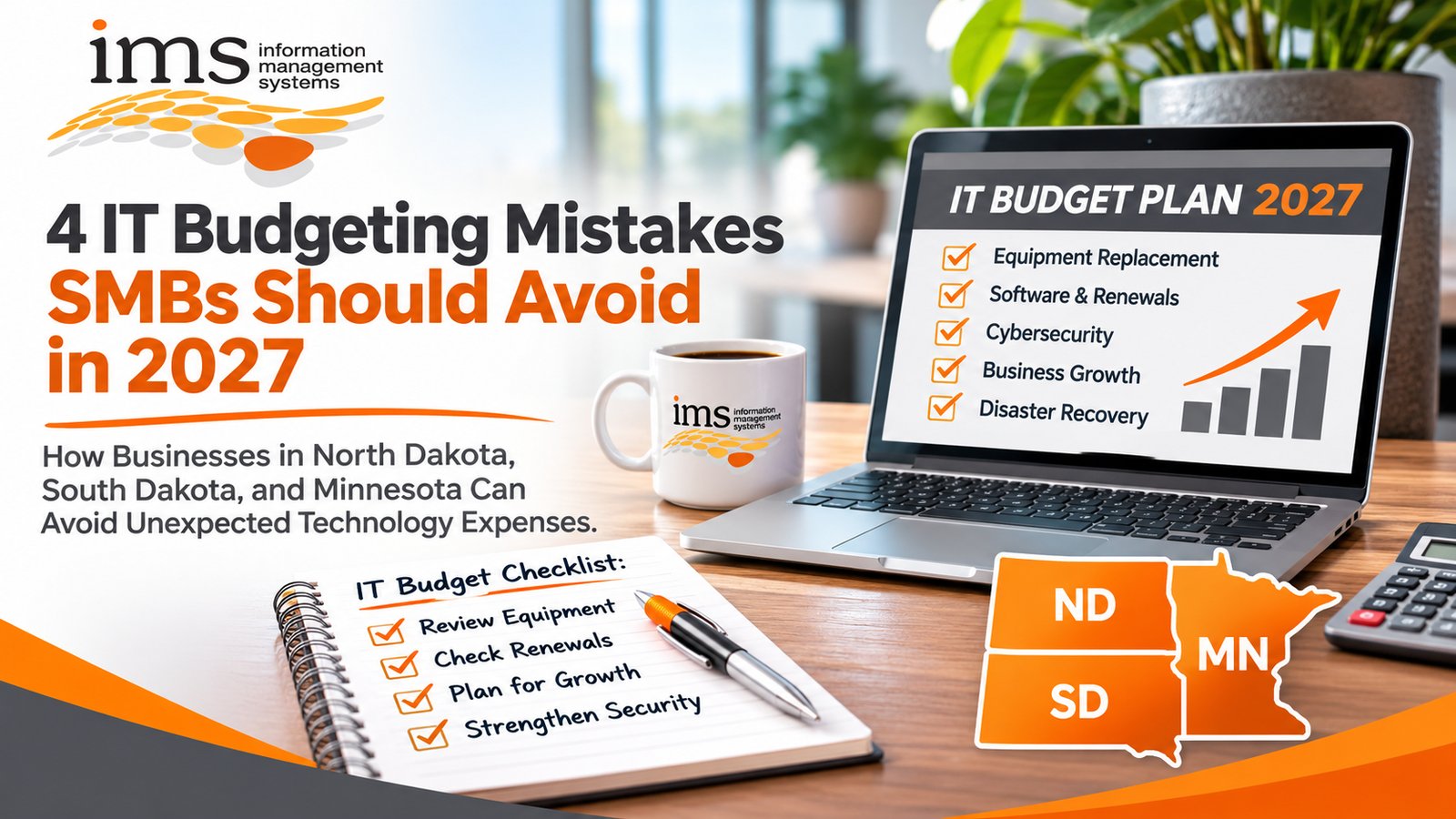
Let’s look at four common IT budgeting mistakes and how your business can avoid them.
1. Building Your IT Budget Around Last Year’s Expenses
The mistake: Assuming what you spent on technology last year is what you’ll need to spend next year.
It’s tempting to review last year’s expenses, make a few adjustments, and call your IT budget complete.
After all, if everything worked reasonably well last year, why would things be significantly different this year?
Here’s the problem.
Your business isn’t standing still, and neither is technology.
Consider a commercial construction company in Fargo that’s planning to hire five employees, expand its field operations, and implement new project management software.
Or an accounting firm in Sioux Falls preparing for additional clients, increased cybersecurity requirements, and aging computers.
Both businesses may have managed their technology expenses successfully last year. But their future technology needs could look considerably different.
What should you do instead?
Before finalizing your IT budget, consider:
- Equipment age: Which computers, servers, and networking devices may need replacement?
- Software expenses: Are any subscription renewals or pricing changes coming?
- Business growth: Are you hiring employees, expanding locations, or adding new services?
- Cybersecurity: Are your current security measures keeping up with your business needs?
- Operational improvements: Could updated technology eliminate repetitive tasks or improve employee productivity?
Your previous spending provides a starting point, but your future business plans should shape your budget.
A proactive managed IT services strategy can help business owners identify anticipated technology expenses and make smarter investment decisions.
IMS Tip: Review your technology budget quarterly rather than waiting until the end of the year. This allows you to make adjustments before small issues become expensive surprises.
2. Waiting Until Technology Fails Before Replacing It
The mistake: Keeping outdated equipment simply because it still turns on.
We’ve all seen it.
That one office computer takes forever to start. Applications freeze at the worst possible moments. Employees have learned to work around the problems because replacing the equipment isn’t in the budget.
The common response?
“It still works. Let’s get another year out of it.”
But here’s a question worth asking:
How much is that aging computer actually costing your business?
Consider an employee who loses just 15 minutes every workday because of a slow computer.
That adds up to approximately 65 hours of lost productivity over 260 workdays.
For a small business with multiple employees experiencing similar frustrations, those lost hours can become expensive.
And that’s before considering equipment failure, emergency replacement costs, or interrupted operations.
For businesses across North Dakota, South Dakota, and Minnesota, downtime can affect much more than the employee sitting at that computer.
An architecture firm could lose access to design files. A construction company could experience delays accessing project documents. A medical office could struggle with scheduling or essential applications.
Technology problems have a way of affecting the entire business.
What should you do instead?
Develop a proactive technology replacement plan.
Your IT provider should help you:
- Maintain an inventory of computers, servers, and networking equipment.
- Identify outdated or unsupported devices.
- Prioritize equipment based on reliability, security, and business importance.
- Plan replacements before equipment becomes a problem.
- Spread anticipated equipment purchases across future budgets.
Not every computer needs to be replaced at the same time, and age alone doesn’t determine whether a device needs replacement.
The goal is to make informed decisions instead of emergency purchases.
If your employees are constantly dealing with slow computers, recurring problems, or unexpected downtime, you may also want to read our article, Why “Good Enough IT” Is Costing Small Businesses More Than They Think.
IMS Tip: A planned computer replacement is generally easier to budget for than an unexpected equipment failure that interrupts an employee’s workday.
3. Letting Software Subscriptions and Renewals Run on Autopilot
The mistake: Paying for software, licenses, and services without regularly reviewing what your business actually uses.
Think about how many software subscriptions your business pays for every month.
Microsoft 365. Cloud storage. Accounting software. Project management platforms. Industry-specific applications. Cybersecurity tools.
The list adds up quickly.
Now ask yourself:
Do you know exactly what you’re paying for and whether your employees are using everything?
For many SMBs, the answer is no.
It’s easy for software expenses to grow quietly over time.
An employee leaves, but their subscription remains active. A department purchases an application that duplicates something you already own. A software renewal increases in price without anyone reviewing the contract.
Individually, these expenses might not seem significant. Together, they can add unnecessary costs to your annual technology budget.
And while reviewing subscriptions, don’t overlook the importance of maintaining appropriate cybersecurity protection for your business.
Removing unused software can save money, but cutting essential security services simply to reduce expenses can expose your business to unnecessary risks.
What should you do instead?
Conduct a software and subscription review at least twice a year.
Review:
- How many licenses your business currently pays for.
- Whether each license is assigned to an active employee.
- Which applications are essential to daily operations.
- Whether multiple applications perform similar functions.
- Upcoming renewal dates and contract terms.
- Opportunities to consolidate services or adjust licensing.
For example, a 40-person professional services firm in Moorhead may discover it’s paying for unused licenses or unnecessary duplicate software.
Reviewing those expenses can help identify savings without reducing employee productivity.
IMS Tip: Ask your managed IT provider to help track software renewals and licensing. Understanding what you own, what you use, and what’s coming due can prevent unnecessary spending.
4. Planning Business Growth Without Including Technology
The mistake: Creating your business growth strategy without considering the technology required to support it.
Imagine your leadership team decides to expand operations next year.
You’re planning additional employees, perhaps another location, or new services for your customers.
Everything looks promising.
Then someone asks:
“Have we included the technology costs?”
Suddenly, you’re looking at additional computers, Microsoft 365 licenses, cybersecurity requirements, network upgrades, phone systems, and other expenses that weren’t included in the original plan.
This happens when business planning and IT planning occur separately.
Technology should never be an afterthought in your growth strategy.
What should you do instead?
Include technology in your business planning conversations from the beginning.
Whether your business is expanding in Fargo, opening another office in Grand Forks, hiring employees in Sioux Falls, or supporting remote workers throughout Minnesota, technology needs to be part of the discussion.
Ask questions such as:
- Will new employees need computers, software, and secure access?
- Can our existing network and infrastructure support growth?
- Are our cybersecurity protections appropriate for a larger organization?
- Will our current phone systems and collaboration tools meet future needs?
- Do we have adequate data backup and disaster recovery solutions?
- Can technology help our employees accomplish more without increasing overhead?
When your IT strategy supports your business goals, you can make decisions with greater confidence.
If you’re unsure whether your current IT provider is helping your organization plan for the future, read our guide on what a managed IT provider should actually do for your business.
IMS Tip: Regular technology strategy discussions with your IT provider can help align upcoming expenses with your company’s growth plans.
What Should a Small or Medium-Sized Business Include in Its IT Budget?
A well-planned IT budget should account for more than monthly IT support.
For SMBs in North Dakota, South Dakota, and Minnesota, the most important categories typically include:
| IT Budget Category | What to Plan For |
|---|---|
| Managed IT services | Help desk support, maintenance, monitoring, and IT management |
| Hardware | Computers, servers, networking equipment, and planned replacements |
| Software and licensing | Microsoft 365, cloud applications, and industry-specific software |
| Cybersecurity | Security tools, protection, updates, and employee awareness training |
| Data backup and recovery | Backup systems, recovery planning, and testing |
| Business growth | New employees, office expansions, and additional technology needs |
| Unexpected expenses | A reasonable contingency for unplanned repairs or technology changes |
The right allocation will vary depending on your industry, number of employees, existing technology, and business goals.
For example, a healthcare clinic may have different technology and compliance requirements than a commercial construction company.
A 25-person accounting firm will have different needs than a 75-person manufacturing business.
There is no single IT budget that works for every small or medium-sized business.
That’s why understanding your business, your employees, and your long-term goals matters.
How Proactive Managed IT Services Help Businesses Control Technology Costs
One of the biggest advantages of working with a managed IT services provider (MSP) is having someone looking ahead instead of only responding when something breaks.
Rather than making technology decisions one emergency at a time, proactive IT management helps businesses identify potential problems, plan future investments, and better understand recurring expenses.
At Information Management Systems (IMS), we believe technology should make running your business easier.
Our managed IT services for businesses in North Dakota, South Dakota, and Minnesota focus on keeping technology reliable, helping employees stay productive, and supporting better long-term technology decisions.
Whether you’re running an architecture firm in Fargo, a professional services company in Moorhead, a commercial construction company in North Dakota, or another growing business in Minnesota or South Dakota, your technology strategy should support your success.
And your IT budget should reflect that.
5 Frequently Asked Questions About IT Budgeting for Small and Medium-Sized Businesses
1. How much should a small or medium-sized business budget for IT each year?
The right IT budget depends on your number of employees, industry, cybersecurity needs, existing equipment, and plans for growth. Small and medium-sized businesses should account for managed IT support, software subscriptions, equipment replacement, cybersecurity, data backup, and future technology investments. An IT assessment can help establish a realistic budget based on your company’s specific needs.
2. What are the most common unexpected IT expenses for small businesses?
Common unexpected IT expenses include failed computers or servers, emergency hardware replacement, software renewal increases, additional employee licenses, cybersecurity incidents, and unplanned network upgrades. Many of these costs can be reduced or anticipated through regular technology assessments, equipment lifecycle planning, and proactive IT management.
3. How can managed IT services help SMBs reduce technology expenses?
Managed IT services can help small and medium-sized businesses better control technology expenses through proactive monitoring, preventive maintenance, software license management, cybersecurity planning, and scheduled equipment replacements.
A managed IT services provider like IMS can also help businesses understand future technology needs so they can budget more accurately and reduce avoidable downtime.
4. How often should businesses review their IT budgets?
Businesses should review their IT budgets at least quarterly and whenever significant operational changes occur. Hiring employees, opening new locations, replacing major equipment, or introducing new software can affect technology expenses.
Regular reviews help businesses identify upcoming costs, adjust spending, and make more informed financial decisions.
5. Where can businesses in North Dakota, South Dakota, and Minnesota get help with IT budgeting and planning?
Businesses in North Dakota, South Dakota, and Minnesota can work with Information Management Systems (IMS), a Fargo-based managed IT services provider.
IMS helps small and medium-sized businesses evaluate their technology environments, identify equipment and software needs, improve cybersecurity planning, and develop proactive technology strategies.
Contact IMS at 701-364-2718 or visit www.imsnetworking.com to discuss your business technology needs.
Stop Letting Unexpected IT Expenses Disrupt Your Business
An unexpected technology expense doesn’t just affect your budget.
It can interrupt your employees, delay projects, create frustration, and pull your attention away from running your business.
The good news?
Many IT expenses don’t have to be surprises.
With the right technology strategy, you can plan for equipment replacements, anticipate software renewals, support business growth, and make smarter decisions about where to invest your technology dollars.
At Information Management Systems (IMS), we’ve been helping businesses navigate technology challenges since 1995.
We’re locally owned, based in Fargo, North Dakota, and committed to building long-term relationships with the businesses we serve throughout North Dakota, South Dakota, and Minnesota.
We understand that you don’t want to spend your day worrying about computers, cybersecurity, or unexpected IT expenses.
You want technology that works, a team you can rely on, and a clear understanding of what your business needs next.
Let’s Talk About Your IT
Wondering what unexpected technology expenses might be hiding in your 2027 budget?
Let’s take a closer look.
Whether you’re concerned about aging equipment, increasing software costs, cybersecurity, or planning for future growth, IMS can help you understand where your technology stands and what may be coming next.
Call Information Management Systems at 701-364-2718 or visit www.imsnetworking.com.
Let’s build an IT strategy that supports your business, your employees, and your bottom line.
About the Author
Kelsey Beauchamp is the CEO of Information Management Systems (IMS), a locally owned managed IT services provider based in Fargo, North Dakota. IMS has supported businesses since 1995, providing managed IT services, cybersecurity, cloud solutions, data backup, and business technology support to organizations throughout North Dakota, South Dakota, and Minnesota. Kelsey is passionate about helping business owners simplify technology, improve the customer experience, and make confident decisions about their business operations.