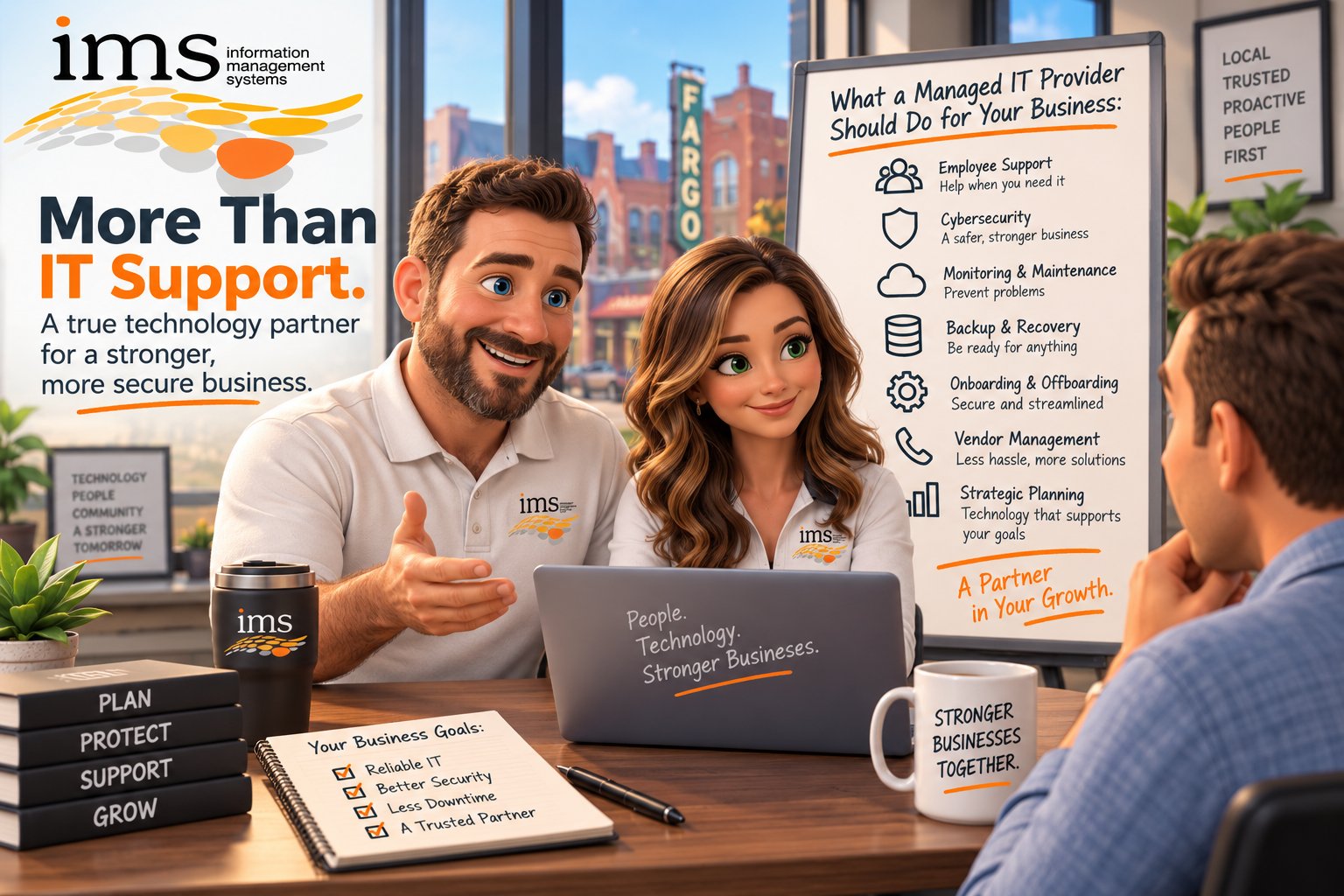
If you are paying a company to manage your technology, what should they actually be doing for you?
It sounds like a simple question, but the answer can vary significantly depending on the provider.
Some companies describe themselves as managed IT providers but primarily respond when something breaks. Others take a much broader role, helping businesses plan technology investments, improve cybersecurity, support employees, manage vendors, document systems, and prepare for future growth.
For Small/Medium Businesses (SMB's) in North Dakota, South Dakota, and Minnesota, understanding that difference matters.
Most SMBs do not need a large internal IT department. But they still rely on technology every day to communicate with customers, manage financial information, access business applications, protect sensitive data, and keep employees productive.
That means your managed IT provider should be doing far more than fixing computers.
Quick Answer: What Should a Managed IT Provider Do?
A managed IT provider should proactively manage, support, secure, document, and plan your technology environment.
That typically includes:
- Employee help desk support
- Network and device monitoring
- Cybersecurity management
- Software and system updates
- Backup and recovery planning
- Technology documentation
- Vendor coordination
- Employee onboarding and offboarding
- Technology budgeting and planning
- Regular strategic conversations
- Recommendations based on your business goals
The goal should be simple.
Your technology should work reliably, your employees should know where to get help, and your leadership team should have confidence that someone is taking ownership of the technology your business depends on.
Managed IT Should Be Proactive, Not Just Reactive
One of the biggest differences between basic IT support and managed IT services is what happens before something breaks.
Traditional IT support often follows a break/fix model.
Something stops working.
You call someone.
They fix it.
You receive a bill.
Then everyone waits until the next issue.
Managed IT should work differently.
A proactive provider should be monitoring systems, identifying recurring problems, reviewing security risks, maintaining devices, planning equipment replacements, and looking for ways to prevent unnecessary interruptions.
Technology problems will still happen.
The difference is that your provider should not simply be waiting for them.
For example, a proactive IT partner may notice that a workstation is repeatedly generating errors and recommend replacing it before it fails completely.
They might identify that a business-critical server is nearing the end of its useful life and help you budget for replacement months in advance.
They may notice multiple employees experiencing similar issues and investigate the root cause instead of fixing the same problem repeatedly.
That proactive approach is one of the biggest reasons businesses choose managed IT services.
1. Your Employees Should Have Reliable IT Support
Your employees should know exactly where to go when they have a technology problem.
They should not have to ask around the office, search online for a solution, or wait for the owner to call the IT company.
A managed IT provider should offer a clearly defined support process.
That may include support for:
- Computers and laptops
- Microsoft 365
- Printers
- Business applications
- Network connectivity
- Password issues
- User accounts
- Remote work
- General technology questions
Just as important, your employees should receive communication.
When someone submits a support request, they should know it was received and understand what happens next.
Good IT support is not only about technical skill.
It is also about the experience your employees have when they need help.
2. They Should Monitor and Maintain Your Technology
A managed IT provider should not rely on your employees to notice every problem.
Many technology issues can be identified through monitoring before employees ever realize something is wrong.
A provider may monitor:
- Servers
- Workstations
- Network equipment
- Storage capacity
- Backup systems
- Security tools
- Software performance
- Device health
They should also help manage routine maintenance.
That can include patching, updates, antivirus software, device management, system optimization, and equipment lifecycle planning.
This is especially important for growing SMBs.
As businesses add employees, computers, applications, locations, and cloud services, technology environments become more complicated.
Without consistent management, small gaps can develop into larger problems.
3. Cybersecurity Should Be Part of the Conversation
Cybersecurity cannot be treated as an optional add-on anymore.
Small and medium-sized businesses hold valuable information, including employee data, customer information, financial records, passwords, emails, and access to third-party systems.
Your managed IT provider should help you understand how that information is being protected.
Depending on your business, cybersecurity services may include:
- Multifactor authentication
- Endpoint protection
- Email security
- Security awareness training
- Managed firewalls
- Password management
- Device encryption
- Security monitoring
- Backup protection
- Access control
- Patch management
- Cybersecurity policies
The provider should also be able to explain cybersecurity recommendations in plain language.
You should not need a cybersecurity certification to understand why something is being recommended.
A good technology partner should help you understand the risk, the recommendation, and how it affects your business.
4. Backups Should Be Monitored and Tested
Having a backup does not automatically mean your business is protected.
Your managed IT provider should help answer questions like:
- What data is being backed up?
- How often are backups running?
- Where are backups stored?
- Are Microsoft 365 files and email protected?
- Who monitors backup failures?
- How quickly could data be restored?
- Has the recovery process been tested?
Backups are only valuable if they work when you need them.
That is why backup management should include both monitoring and recovery planning.
For SMBs, downtime can be especially disruptive because there may not be another department or location available to keep things moving.
Your provider should help you understand what recovery would actually look like if an important system became unavailable.
5. They Should Manage Employee Onboarding and Offboarding
Technology plays a major role when employees join or leave your business.
When a new employee starts, they may need:
- A computer
- Microsoft 365 licensing
- Access to business applications
- Network permissions
- Security tools
- Multi-factor authentication
- Phone system access
- Shared files and folders
Your IT provider should help make that process consistent.
Offboarding is equally important.
When an employee leaves, access should be reviewed and removed promptly.
This can include disabling accounts, resetting passwords, transferring files, removing remote access, collecting equipment, and reviewing access to third-party applications.
A strong onboarding and offboarding process saves time and helps reduce security risks.
6. They Should Document Your Technology Environment
Your provider should know what is in your environment.
That includes more than knowing which computers employees use.
Documentation may cover:
- Devices
- Servers
- Network equipment
- Software
- Vendors
- Licenses
- Internet providers
- Backup systems
- Security tools
- Administrative accounts
- Warranty information
- Equipment replacement dates
- Important procedures
Without documentation, your technology becomes dependent on someone's memory.
That creates risk.
Good documentation also makes support faster because technicians have the information they need before they begin troubleshooting.
7. They Should Help Manage Technology Vendors
Most businesses work with several technology vendors.
You may have separate companies for:
- Internet
- Phones
- Line-of-business software
- Copiers
- Security cameras
- Cloud applications
- Website services
- Software subscriptions
When something goes wrong, figuring out which vendor is responsible can become frustrating.
A managed IT provider should help coordinate those relationships when technology is involved.
Your leadership team should not have to spend hours sitting between two vendors while each one says the problem belongs to the other.
A strong technology partner helps take ownership of the issue and works with the appropriate vendors to move toward a solution.
8. They Should Help You Plan Technology Investments
Managed IT should not only address what your business needs today.
Your provider should also help you prepare for what comes next.
That may include:
- Computer replacement schedules
- Server upgrades
- Cloud migrations
- Software changes
- New locations
- Business growth
- Cybersecurity improvements
- Phone system changes
- Network upgrades
Instead of learning that you suddenly need a major technology investment, your leadership team should have visibility into upcoming needs.
Technology planning makes budgeting easier and reduces surprises.
It also helps businesses make better decisions because purchases can be evaluated strategically instead of being made during an emergency.
9. They Should Understand Your Business Goals
One of the most overlooked parts of managed IT is the relationship.
Your provider should understand more than your technology.
They should understand your business.
A productive technology conversation might include questions like:
- Are you planning to hire?
- Are you opening another location?
- Which applications are most important to your team?
- What technology frustrations do employees experience?
- Are there processes you want to improve?
- What concerns does your leadership team have?
- Where is the business trying to go over the next few years?
Technology decisions should support those goals.
The right solution for a 15-person accounting firm may be different from what makes sense for a 60-person construction company.
Managed IT should never feel like a one-size-fits-all package.
10. They Should Help Create Predictable Technology Costs
Unexpected IT expenses are frustrating for any business.
While not every technology cost can be predicted, managed IT should make your overall technology spending easier to understand and plan.
Businesses should have visibility into:
- Monthly support costs
- Software licensing
- Equipment replacement
- Cybersecurity investments
- Upcoming projects
- Vendor expenses
Your provider should help leadership understand what is coming and why.
That gives you the ability to budget instead of reacting to surprise expenses.
What Should Regular IT Strategy Meetings Look Like?
Your relationship with your managed IT provider should include conversations that are not tied to a support ticket.
Regular technology reviews can help both sides stay aligned.
These meetings may include:
- Current technology issues
- Support trends
- Cybersecurity priorities
- Equipment replacement needs
- Upcoming projects
- Budget planning
- Employee growth
- Software needs
- Business changes
- Strategic goals
For some businesses, these conversations may happen quarterly.
For others, a different schedule may make sense.
What matters is that strategic communication is happening consistently.
If the only conversations you have with your IT provider involve broken computers, you may not be receiving the full value of managed IT services.
How Do You Know If Your Managed IT Provider Is Doing Enough?
Ask yourself a few questions.
Do you know who is responsible for your technology?
Do your employees know where to get help?
Do you receive guidance before equipment fails?
Do you understand your cybersecurity risks?
Are backups being monitored and tested?
Do you know what technology investments are coming next year?
Does your provider understand your business?
Do you have regular conversations that are not tied to problems?
If several of those answers are no, your current IT relationship may be more reactive than managed.
Why Local Managed IT Matters for ND, SD, and MN Businesses
For many businesses in North Dakota, South Dakota, and Minnesota, relationships matter.
You want to know who you are working with.
You want your provider to understand your business.
And when something important happens, you want to know there is someone you can call.
A local managed IT partner can bring together technical expertise with a better understanding of the businesses and communities they support.
That does not mean every issue requires someone onsite.
Many technology problems can be resolved remotely.
But having a team that knows your business and can be there when needed can make a meaningful difference.
At Information Management Systems, we believe managed IT should feel like having a technology team that is invested in your success.
That means helping employees when they need support, protecting the technology your business depends on, planning ahead, communicating clearly, and building a relationship based on trust.
Managed IT Should Make Running Your Business Easier
Your technology provider should not create more work for you.
They should take work off your plate.
You should not have to wonder who is monitoring your backups, when your computers need to be replaced, whether former employees still have access, or who is responsible for coordinating with a software vendor.
Your managed IT provider should be helping answer those questions.
The goal of managed IT is not simply to maintain computers.
It is to create a technology environment that is reliable, secure, understandable, and aligned with your business.
For growing Small/Medium Businesses (SMB's) throughout North Dakota, South Dakota, and Minnesota, that can mean fewer interruptions, better planning, stronger security, and more confidence in the technology supporting your organization.
If you are wondering whether your current IT support is truly managed, it may be worth having a conversation.
Information Management Systems helps businesses throughout ND, SD, and MN take a more proactive approach to technology.
Schedule a discovery call with our team to talk about your current environment, your business goals, and what comprehensive managed IT support could look like for your organization.
Frequently Asked Questions About Managed IT Services
1. What does a managed IT provider do for a small business?
A managed IT provider helps a small business manage, support, secure, and plan its technology. Services may include help desk support, device monitoring, cybersecurity, backups, software updates, onboarding and offboarding, vendor management, documentation, and strategic technology planning.
2. What is included in managed IT services?
Managed IT services typically include proactive monitoring, employee support, cybersecurity management, patching, backups, network management, documentation, technology planning, vendor coordination, and ongoing maintenance. The exact services vary by provider, so businesses should clearly understand what is included in their agreement.
3. How is managed IT different from traditional IT support?
Traditional IT support is often reactive, meaning a business contacts someone after a problem occurs. Managed IT takes a more proactive approach by monitoring systems, maintaining technology, preventing recurring issues, improving security, and helping businesses plan future technology needs.
4. How often should a business meet with its managed IT provider?
Many Small/Medium Businesses (SMB's) benefit from regular technology reviews, often quarterly. These meetings can cover cybersecurity, equipment replacements, upcoming projects, support trends, budgets, business growth, and future technology needs. The right schedule depends on the size and complexity of the business.
5. How do I choose a managed IT provider in North Dakota, South Dakota, or Minnesota?
Look for a managed IT provider that offers proactive support, clear communication, cybersecurity expertise, technology planning, strong documentation, and a willingness to understand your business. SMBs in North Dakota, South Dakota, and Minnesota may also benefit from choosing a provider with local resources and experience supporting businesses in the region.