Technology should help your business move forward, not become another problem your team has to manage.
For many Small/Medium Businesses (SMB's) across North Dakota, South Dakota, and Minnesota, IT support often starts simply. Maybe you have a local person you call when something breaks. Perhaps one employee has become the unofficial "IT person." Or maybe you work with a provider that handles problems as they come up.
That approach can work for a while.
But as your business grows, adds employees, relies more heavily on cloud applications, and faces increasing cybersecurity risks, your technology needs become more complex.
The IT support that worked when you had 10 employees may not be enough when you have 25, 50, or more.
So how do you know when your business has outgrown its current IT support?
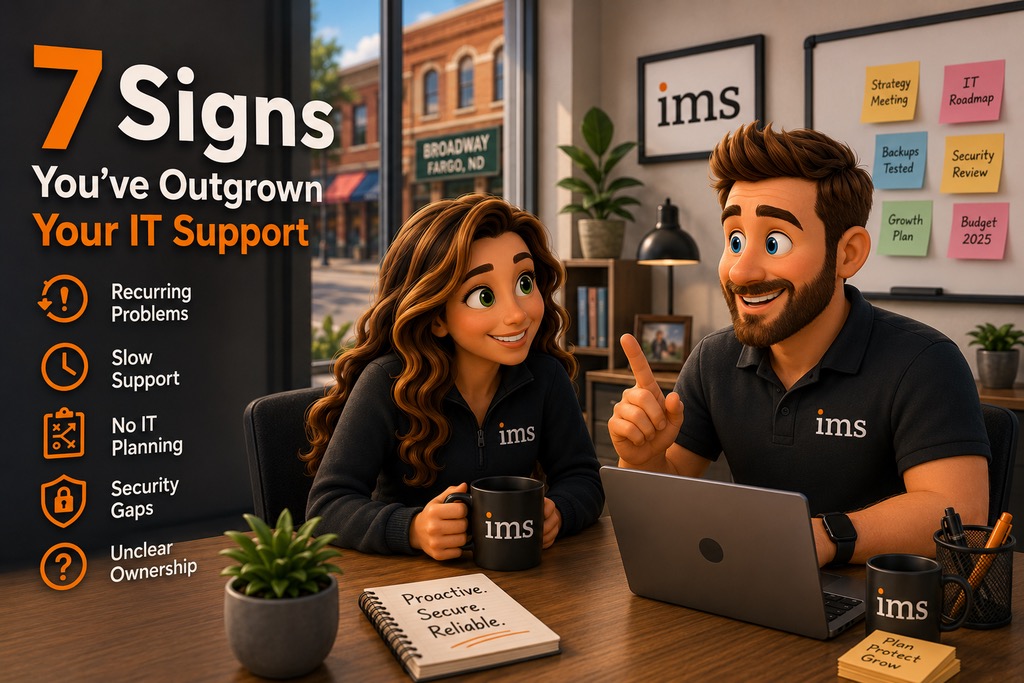
Here are seven signs it may be time to rethink your approach.
Quick Answer: How Do You Know If Your Business Has Outgrown Its IT Support?
Your business may have outgrown its current IT support if you are experiencing recurring technology problems, slow response times, cybersecurity concerns, little strategic planning, inconsistent support, unclear responsibility for technology, or technology that is struggling to keep up with business growth.
The biggest warning sign is when IT becomes something your leadership team regularly worries about instead of something you can confidently rely on.
1. The Same IT Problems Keep Coming Back
Does your team experience the same issues over and over?
Maybe Wi-Fi problems keep returning. Computers regularly slow down. Printers disconnect. Microsoft 365 issues keep appearing. Employees repeatedly lose access to applications they need.
Fixing a problem once is IT support.
Preventing the same problem from repeatedly disrupting your business is IT management.
If your IT provider is constantly putting out fires without identifying why those fires keep happening, your business may have outgrown a reactive support model.
Recurring problems can also create hidden costs.
A five-minute technology issue may not sound significant. But when several employees deal with similar problems multiple times each month, those interruptions add up.
Your IT partner should be looking for patterns, documenting issues, identifying root causes, and recommending improvements that reduce future disruptions.
Technology problems will still happen. The goal is to make them less frequent and less disruptive.
2. Your Employees Wait Too Long for IT Support
When an employee cannot work, IT response time matters.
If someone loses access to email, cannot connect to the network, or cannot open a business-critical application, waiting hours or days for help can affect productivity, customer service, and revenue.
This becomes especially important for growing businesses.
When you only have a few employees, one technology issue may be manageable. When you have 25 or 50 employees depending on technology throughout the day, slow IT support can quickly become an operational problem.
Your team should know:
- How to contact IT support
- What happens after a support request is submitted
- Who is responsible for resolving the issue
- When they can expect communication
- Whether the problem was actually resolved
Good IT support is not only about fixing technology.
It is also about creating a support experience where employees feel confident that someone is taking ownership of their problem.
3. Nobody Is Planning Your Technology Strategy
Who is thinking about where your technology needs to be six months, one year, or three years from now?
If the answer is "nobody," that is a major sign your business has outgrown basic IT support.
Growing businesses need more than troubleshooting.
They need technology planning.
Your IT strategy should consider questions such as:
- Will your current systems support future growth?
- Which computers and servers need to be replaced?
- Are you using the right Microsoft 365 licensing?
- Are technology costs predictable?
- Are there applications that should be consolidated?
- What cybersecurity improvements should be prioritized?
- What technology will your employees need next year?
- Are upcoming projects being budgeted for?
Without planning, businesses often make technology purchases only when something fails.
That can lead to unexpected expenses, rushed decisions, compatibility problems, and unnecessary downtime.
A proactive IT partner should help your leadership team build a technology roadmap that aligns IT decisions with your business goals.
4. You Are Not Confident in Your Cybersecurity
Cybersecurity is no longer something only large companies need to worry about.
Small and medium-sized businesses handle valuable information too, including employee records, financial information, customer data, passwords, emails, and access to business systems.
If your cybersecurity strategy consists mainly of antivirus software and hoping employees recognize suspicious emails, your business may need a more mature approach.
Businesses should be asking questions like:
- Is multifactor authentication enabled where it should be?
- Are computers and applications being updated consistently?
- Are backups regularly monitored and tested?
- Is email properly protected?
- Do employees receive cybersecurity awareness training?
- Are administrative privileges controlled?
- Are security alerts actively reviewed?
- Is there a plan if an account or device becomes compromised?
You do not need to become a cybersecurity expert.
Your technology partner should help you understand your risks, prioritize improvements, and explain recommendations in plain language.
If you constantly wonder whether your business is properly protected, that uncertainty itself is worth addressing.
5. Your IT Support Is Reactive Instead of Proactive
There is an important difference between having someone who fixes computers and having an IT partner who manages technology.
Reactive IT looks like this:
Something breaks.
An employee reports it.
Someone fixes it.
Everyone moves on until the next problem happens.
Proactive IT asks a different question:
What can we do today to prevent tomorrow's problem?
That may include monitoring systems, reviewing backup performance, installing updates, replacing aging equipment, identifying cybersecurity risks, documenting technology, and planning future projects.
For many SMBs in North Dakota, South Dakota, and Minnesota, this shift becomes necessary as the business grows.
The more important technology becomes to your operations, the less practical it is to wait for something to break before taking action.
6. Nobody Clearly Owns Your Technology
Another common warning sign is unclear responsibility.
Your office manager calls the internet provider.
Your accountant manages a software subscription.
One employee orders laptops.
Another employee keeps track of passwords.
The owner calls the IT person when something stops working.
Eventually, nobody knows exactly who is responsible for what.
This creates risk.
Important renewals can be missed. Former employee accounts may remain active. Equipment may not be documented. Software licenses may be duplicated. Security settings may vary from one employee to another.
As businesses grow, technology ownership needs to become more structured.
A strong managed IT relationship creates accountability.
You should know who is responsible for your systems, security, vendors, documentation, support requests, technology planning, and ongoing maintenance.
Your leadership team should not have to coordinate five different vendors every time a technology problem occurs.
7. Your Technology Is Struggling to Keep Up With Your Business
Growth often exposes technology problems that were easy to ignore when the company was smaller.
You may be hiring employees faster than computers can be prepared.
Opening a new location might create networking or communication challenges.
Employees may be using different tools because there is no standardized process.
Business applications may not integrate well.
Your leadership team may spend more time dealing with technology decisions than you would like.
These are signs that IT is no longer simply a support function.
It has become part of your business infrastructure.
Your technology should be able to grow alongside your company.
That means creating standardized systems, documented processes, predictable technology budgets, stronger cybersecurity protections, and a long-term plan.
What Should Growing SMBs Look for in an IT Partner?
If your business recognizes several of these warning signs, changing your approach to IT does not mean you need more technology.
It often means you need better technology management.
Look for an IT partner that takes time to understand your organization before recommending solutions.
Your provider should be interested in your business goals, employees, operations, applications, challenges, and future plans.
They should also be able to explain technology without overwhelming you with technical terminology.
A strong IT partnership should include:
- Responsive employee support
- Proactive system monitoring and maintenance
- Cybersecurity guidance
- Backup and disaster recovery planning
- Technology documentation
- Strategic planning
- Technology budgeting
- Vendor coordination
- Regular communication and business reviews
Most importantly, you should feel like someone is taking responsibility for your technology.
Local IT Support Matters for Businesses in ND, SD, and MN
Businesses throughout North Dakota, South Dakota, and Minnesota often value relationships differently than companies in larger metropolitan markets.
You want to know who you are working with.
You want someone who understands your business.
And when something important happens, you want confidence that your technology partner will be there.
That relationship becomes especially valuable as technology gets more complicated.
Your IT provider should not only know your network.
They should know your business.
Understanding how your employees work, which applications are critical, when your busiest seasons occur, and what your leadership team wants to accomplish makes it easier to build technology around your organization instead of forcing your organization to work around technology.
Your IT Should Grow With Your Business
Outgrowing your IT support is not necessarily a bad thing.
It often means your business has grown.
The question is whether your technology strategy has grown with it.
If recurring problems, slow support, cybersecurity concerns, unexpected technology expenses, or a lack of planning have become normal, it may be time for a different approach.
Technology should not constantly demand your attention.
It should quietly support your employees, protect your business, and help your organization move forward.
At Information Management Systems, we help small and medium-sized businesses throughout North Dakota, South Dakota, and Minnesota take a more proactive approach to technology.
Instead of waiting for problems to happen, we work with businesses to create reliable, secure, and manageable technology environments that support where they are today and where they want to go next.
Wondering if your business has outgrown its current IT support?
Schedule a discovery call with Information Management Systems. We can talk through your current environment, identify potential gaps, and help you determine whether your technology strategy is keeping up with your business.
Frequently Asked Questions About Outgrowing Your IT Support
1. How do I know if my small business needs managed IT services?
A small business may need managed IT services when technology problems are becoming frequent, employees are waiting too long for support, cybersecurity responsibilities are unclear, or nobody is planning for future technology needs. Managed IT services can provide SMBs with ongoing support, proactive maintenance, cybersecurity guidance, technology planning, and clearer accountability.
2. What is the difference between IT support and managed IT services?
Traditional IT support is often reactive, meaning someone is contacted after a technology problem occurs. Managed IT services take a proactive approach by monitoring systems, maintaining technology, supporting employees, improving cybersecurity, documenting the environment, and helping leadership plan future technology investments.
3. When should an SMB consider changing IT providers?
An SMB should consider evaluating its IT provider when recurring problems are not being resolved, response times are consistently slow, communication is poor, cybersecurity recommendations are limited, or the provider is not helping the business plan for the future. A growing company needs an IT partner that can support both its current operations and future goals.
4. Why is proactive IT support important for businesses in North Dakota, South Dakota, and Minnesota?
Proactive IT support helps businesses in North Dakota, South Dakota, and Minnesota reduce downtime, improve cybersecurity, create predictable technology budgets, and prepare for future growth. Instead of waiting for systems to fail, proactive IT management identifies potential problems early and helps businesses plan technology improvements before they become emergencies.
5. What should I look for when choosing a managed IT provider?
Look for a managed IT provider that offers responsive support, proactive monitoring, cybersecurity services, backup and recovery planning, technology documentation, strategic guidance, and regular communication. The provider should also take time to understand your business and explain recommendations in clear, practical language rather than simply selling technology.
Final Thought
You should not have to become an IT expert to run your business.
You should have a technology partner you trust to handle that responsibility.
If you find yourself constantly asking, "Who is taking care of this?", it may be the clearest sign of all that your business has outgrown its current IT support.